
I hatched the idea for Brrvty at Dell Technologies World this year. I was sitting in a session, and the pearls of knowledge were dropping so fast and hard I felt like a Volkswagen in a hailstorm. There was no way I could keep up with my note-taking. By the time I finished writing down one thing, the presenter was already three slides ahead.
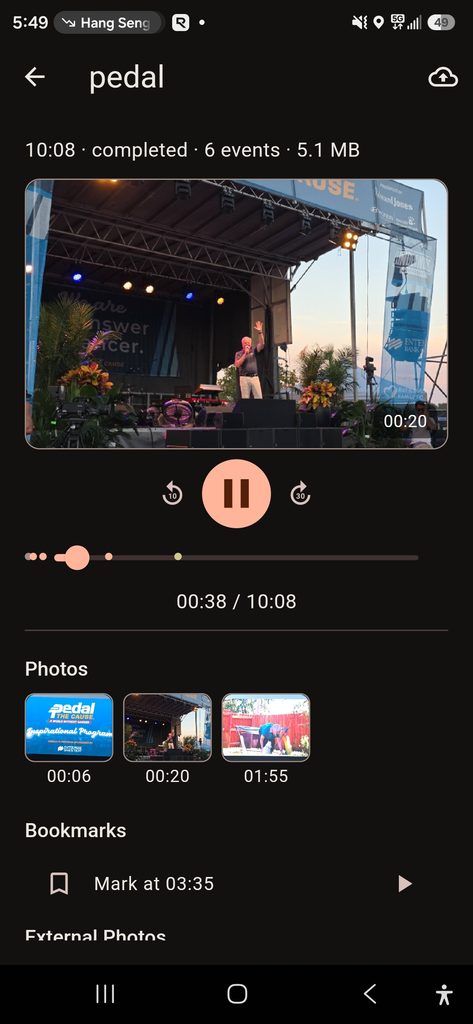
I needed a better way to capture all that information without spending the entire presentation staring at my phone.
That’s where Brrvty came from.
In fact, I wrote the original proof of concept using the Lovable platform between conference sessions. That’s how quickly the idea went from something I needed to something I could actually use.
The proof of concept showed promise, but there was a problem. A web application wasn’t really the right environment for the long-term preservation of recorded presentations. I didn’t want to spend an hour recording a session only to worry about whether the recording would survive a browser refresh, an interrupted connection, or some other hiccup.
So I decided Brrvty deserved the full FortiDude application planning treatment. Rather than keep patching together a proof of concept, I wanted to build a proper application with a solid foundation, defined sprints, punchlists, and testing gates.
The idea itself is pretty simple. Brrvty records compressed audio while letting you snap pictures of slides, jot down notes, and bookmark important moments. Everything gets a timestamp, so later you can go back and see exactly what was being discussed when a particular slide was on the screen.
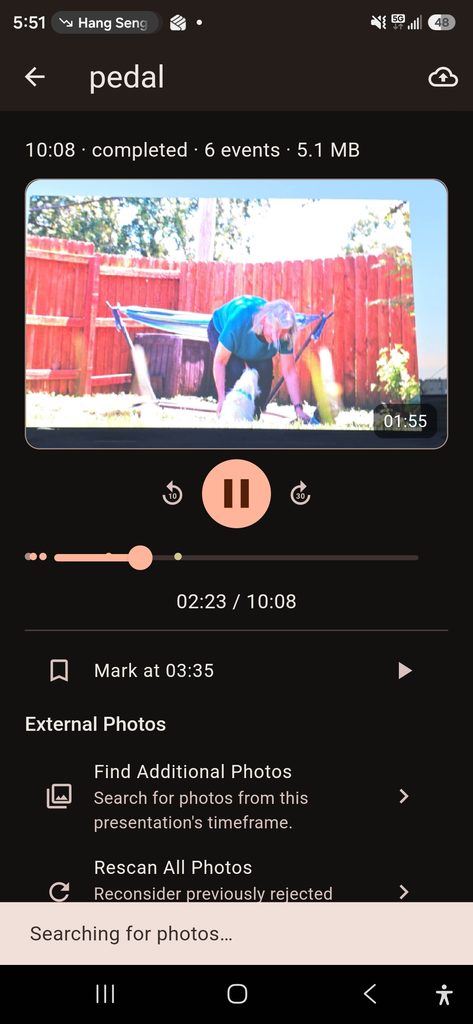
I also wanted the ability to add pictures afterward. Say you’re at a conference taking photos with your phone or Meta glasses. Brrvty can find pictures taken during the session and offer to put them in the right spots on the recording’s timeline.
No more trying to figure out which picture goes with which part of a presentation.
Each session can be packaged into a .brrvty file, containing the audio, pictures, notes, and timeline. It’s portable, and you don’t need to depend on somebody else’s cloud or pay a monthly subscription just to access your own recordings.
There’s room for AI features like transcription, reading text from slides, and generating summaries. Those would certainly make reviewing a session easier, but I don’t want the basic functionality depending on AI or an internet connection.
I’m building Brrvty in Flutter, starting with Android and hopefully expanding to other platforms.
The goal isn’t to replace paying attention during a presentation. It’s actually the opposite. I want to sit there, listen, learn, and enjoy the presentation without worrying about writing down every little thing.
The original Brrvty was born between conference sessions because I needed it right then and there. Now I’m giving it the structure it needs to become something I can depend on for years to come.
Because when the pearls of knowledge start falling like hail, I’d rather collect them than dodge them.
That’s Brrvty.